
Squarespace
GROUND CONTROL
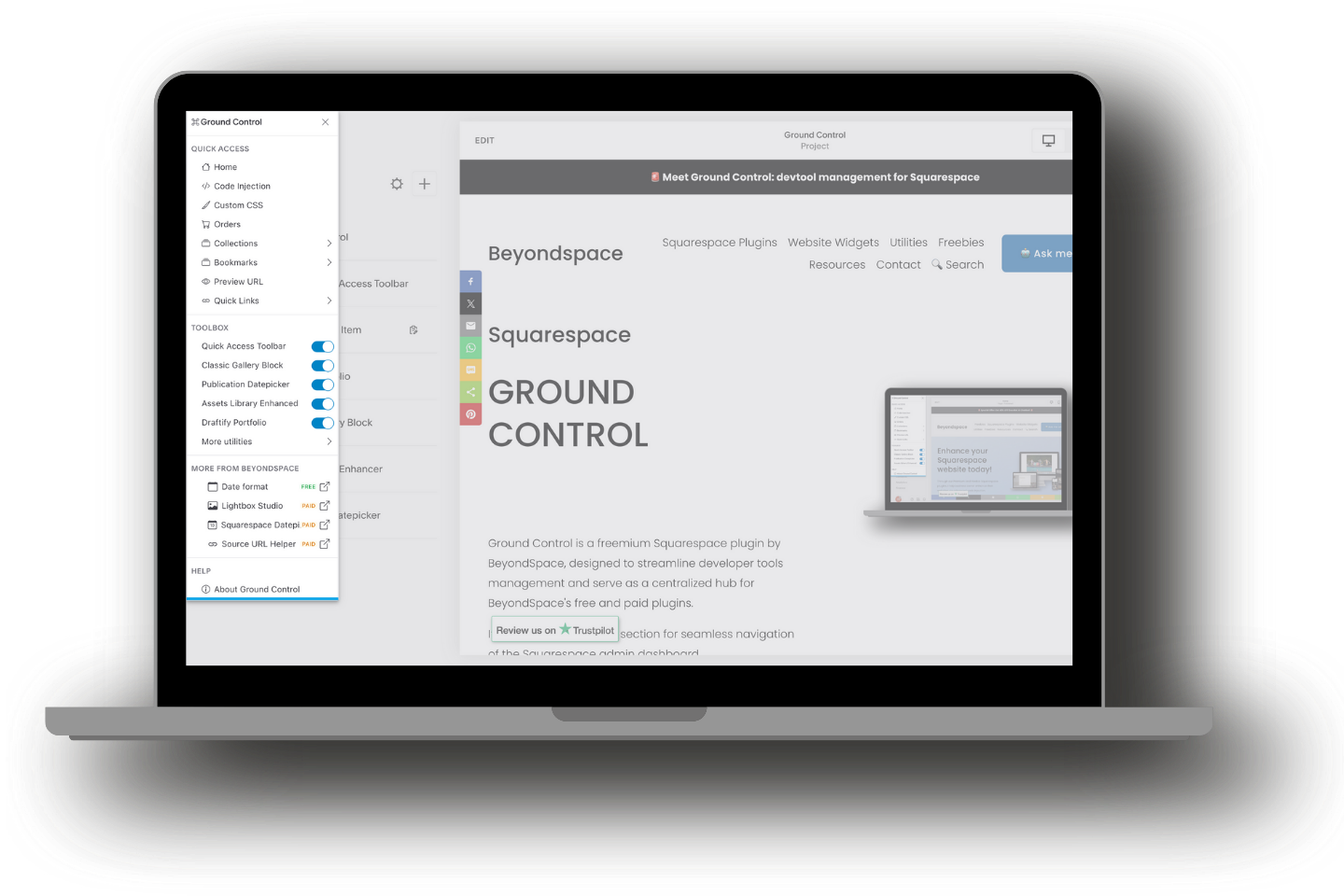
Ground Control is a freemium Squarespace plugin by BeyondSpace, designed to streamline developer tools management and serve as a centralized hub for BeyondSpace's free and paid plugins.
Notice: Paid plugin’s free trial is now available to activate directly from your Ground Control dashboard.
Choose Your Price, Show Your Support
Support the development of Contrôle au sol by paying what you want—starting at $0.00!
Ground Control is a freemium Squarespace plugin by BeyondSpace, designed to streamline developer tools management and serve as a centralized hub for BeyondSpace's free and paid plugins.
By installing, you agree to receive occasional emails with Squarespace tips and updates. You can unsubscribe at any time.
As seen on




Comment ça marche
The setup process depends on your Squarespace plan. After purchase, you'll access the Ground Control code via your Order Status page, with a direct link provided in your confirmation email.
In case you can’t find the email in your inbox, try to look for it in Spam folder or contact me for support.
Business Plan or Higher:
Switch to the "Business Plan" tab & Copy the provided code into your site's Footer Injection.
Personal Plan:
Follow this tutorial to create a new user script in Tampermonkey.
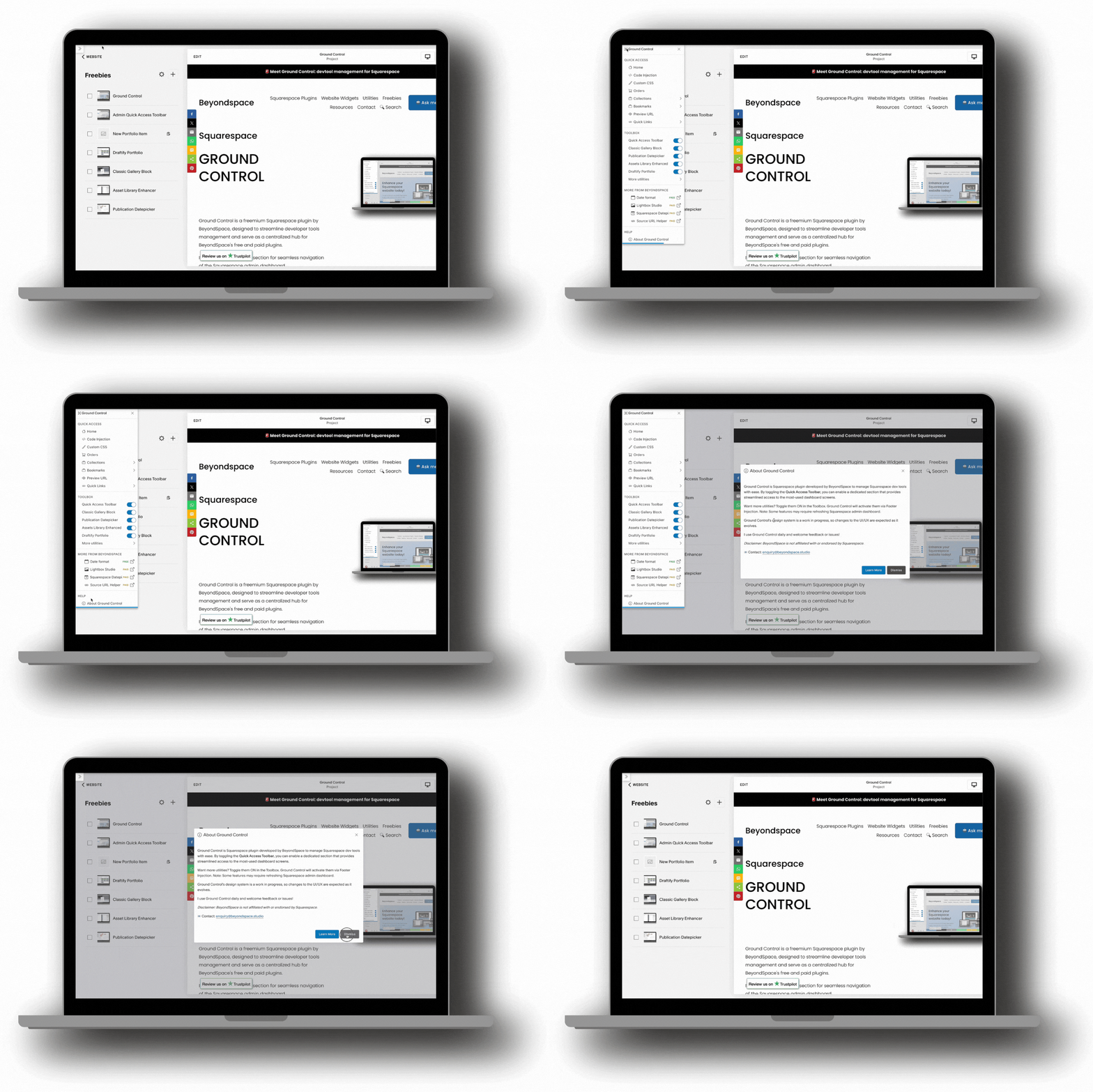
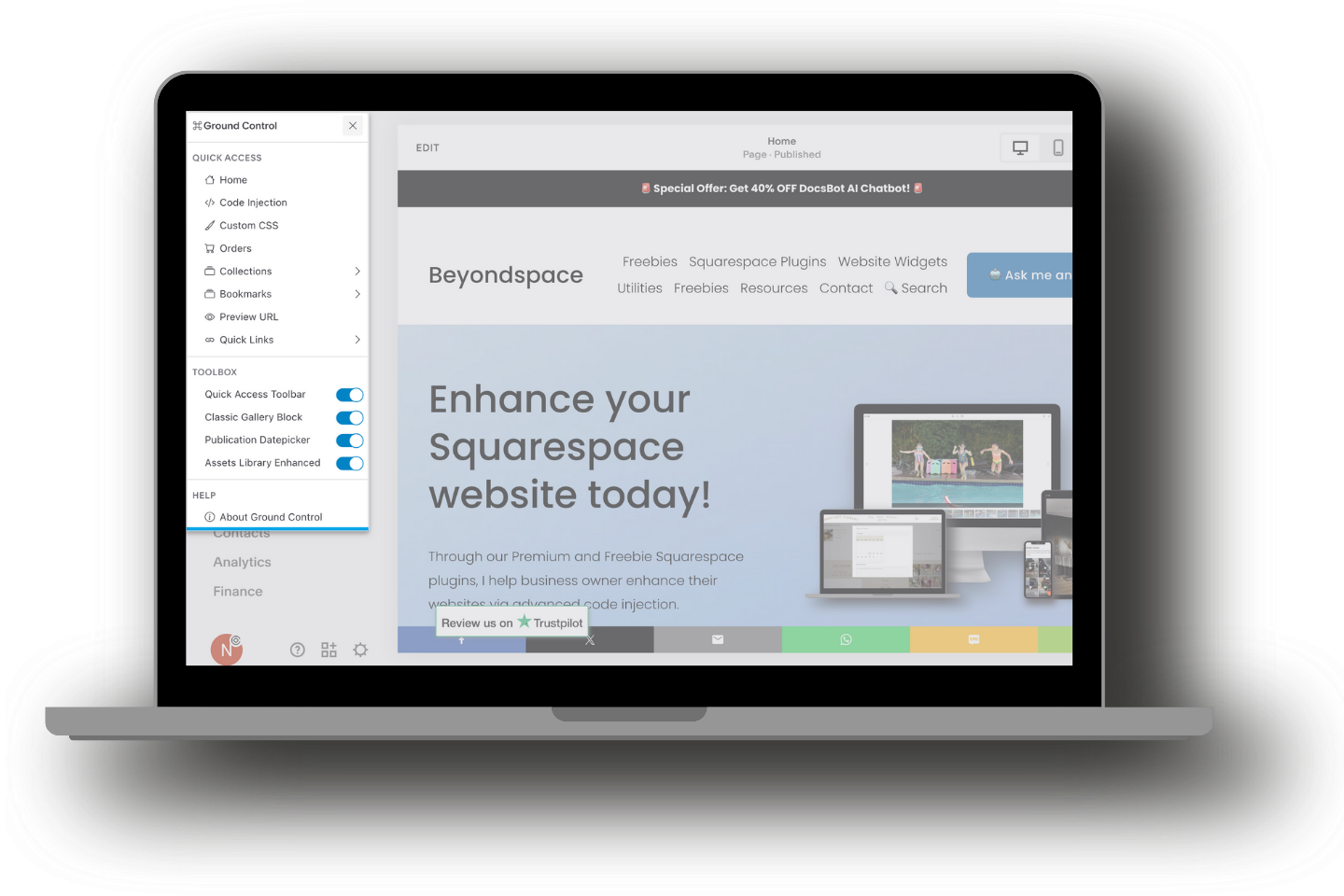
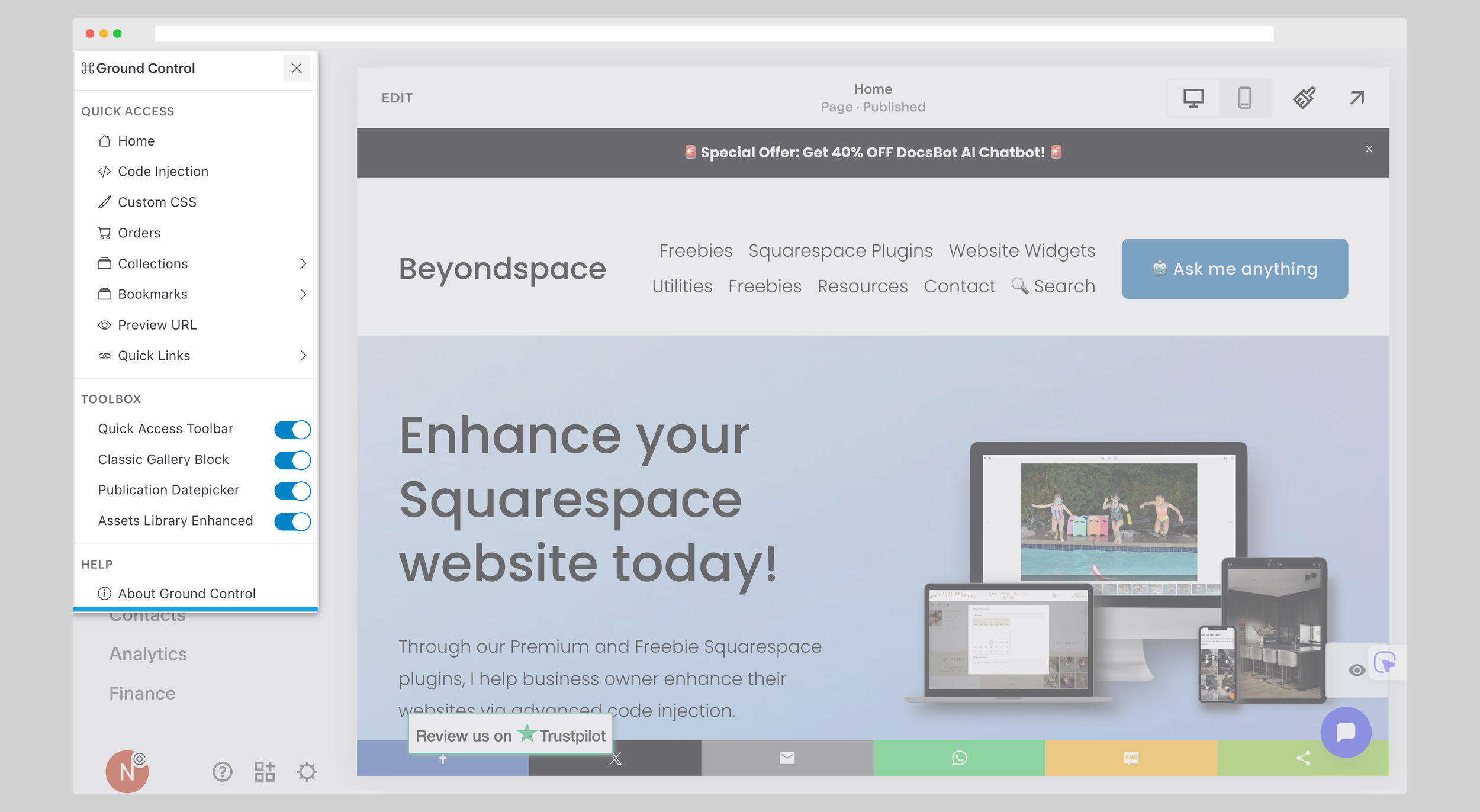
After installation, a small icon appears in the top-left corner of your screen—hover over it to open the Ground Control panel.
Use the Switches in Toolbox section to enable tools for your website
Enable the Barre d'outils d'accès rapide to unlock a dedicated section for easy navigation around your Squarespace dashboard.
Ground Control and its toolbox utilize unpublicized Squarespace APIs, which may change without prior notice. While the tool is designed to be safe and effective, we advise using it at your discretion. If any issues arise, please report them through the contact form.
Tweaking with Ground Control
Managing your Beyondspace plugins is now entirely visual. No more manual JSON editing or CSS overrides—everything is handled directly within the Ground Control hub.
Access the Settings Hub:
Hover over the Ground Control icon in the top-left corner of your Squarespace dashboard
Open Plugin Configuration:
Dans le Plugins section, locate a supported plugin
Click the gear icon ⚙️ next to the plugin name to open the visual settings panel.
Tweak & Save Instantly: Press Apply and refresh to apply the change

Lightbox Studio free trail
Lightbox Studio (free trial)
Remplacement de lightbox Squarespace avec des fonctionnalités avancées comme le pinch-to-zoom, les miniatures, le bouton de téléchargement et plus encore.
⚫ Connecter les lightboxes
⚫ Créer une galerie lightbox cachée
⚫ Activez le mode Lightbox pour les blocs Diaporama, Carrousel et Galerie empilée
⚫ One-Click Trial: Activate directly from your Ground Control dashboard to test on your live content instantly.
Accès rapide administrateur
Admin Quick Access toolbar
This tool allows you to quickly get access to the most frequent views in your admin interface, get faster access to the collections like blogs or stores,
⚫ With the ability to add favorite links into the toolbar.
⚫ Work on live site (frontend mode): help you land on admin page with the current live page
⚫ Admin Quick Access toolbar is now a part of Ground Control in Quick Access section
New Publication Datepicker
Sélecteur de date de publication de blog
Squarespace's publication datepicker only allows switching months one at a time, making it tedious to update dates far in the past or future. This snippet solves the issue by enabling month and year views, saving countless clicks
⚫ Save tons of clicks when backdate publish date
⚫ Available for Events and Blogs
Asset Libary extra features
Asset Library enhancer
Bring the ability to download the images from your Assets Library quickly without navigate away from the files container
⚫ Download images from Asset library
⚫ Copy URLs directly from the Asset Library for easy sharing.
Gallery block for Squarespace 7.1
Bloc Galerie Classique
You’d like to upgrade to Squarepsace 7.1, but the lack of Gallery block is a deal breaker? This freebie will help you to insert Gallery block to Squarespace 7.1 sections
⚫ Enable Use Existing gallery feature
⚫ Support Personal plan users
Lien intelligent (LITE)
Lien intelligent (LITE)
Quickly select collection items (events, blogs…) right from Link Editor
⚫ No more copy and paste individual collection items to the Link Editor
⚫ Streamline internal linking process, boost your efficiency


Partner with Beyondspace
Build Visual Controls for Your Plugins
Ground Control provides no-code visual controls for BeyondSpace plugins, saving users time on setup and configuration. Developers who collaborate with us can offer the same experience for their tools: visual settings hubs - all centralized in Ground Control.
Why collaborate?
Reach 3,300+ live installs and growing (per BuiltWith)
Drive trials and conversions through Ground Control’s dashboard
Save your users time with visual settings instead of code edits
Grow together as part of the BeyondSpace ecosystem
Interested in collab? Email [email protected] to discuss integrating your plugin with Ground Control. Let’s make Squarespace customization faster for everyone.
Foire aux questions
-
Ground Control is a freemium plugin, meaning it's free to install and use. I regularly share free plugins through this central tool, and anything labeled free will remain free for life.
While Ground Control itself is free, it also provides an easy way to explore BeyondSpace’s premium plugins through trial versions, allowing you to test out their functionality before deciding to purchase.
However, some guidelines apply:You are not permitted to sell or distribute this plugin to others.
You cannot claim this plugin as your own creation.
If sharing the plugin, please share the link to this page rather than the code itself, ensuring users always access the latest updates.
-
No, it’s not. “Squarespace” is a trademark of Squarespace, Inc. This plugin is an independent creation and is not affiliated with or endorsed by Squarespace, Inc.
-
Maintaining and updating these tools takes time and effort. If Ground Control is helpful to you or your clients, here are some ways to support its development:
Spread the word: Share the plugin on your website, social media, or Squarespace forums @beyondspace.
Join Beyondspace affiliate program
Use my paid plugins: Check out the Premium Plugins page for tools that may suit your needs.
Buy through my links: Some blog or resource links include affiliate tags. If you purchase through them, I may earn a commission at no extra cost to you. This helps me sustain and grow my contributions to the community.
-
The Ground Control interface can be found in the top-left corner of your screen after you have installed the Ground Control plugin.
Once installed, a small icon will appear there, and you can hover over it to open the Ground Control panel.
-
Absolutely! You’re welcome to share your ideas to help Ground Control grow. While I can’t guarantee every idea will be implemented or provide a timeline, your feedback is always appreciated.
-
I’d love to hear from you! Please email your bug reports or suggestions to [email protected]. Your input helps make Ground Control better for everyone.
Note: Ground Control’s design is evolving, so expect UI/UX updates.
-
Squarespace 7.0 cover pages do not support Footer Code Injection, which Ground Control relies on. If your home page is a cover page, Ground Control won’t load when you open the Squarespace admin.
To resolve this:
Preview another page in your site to trigger the code injection and run Ground Control.
Convert a normal page into a cover page by hiding the header and footer with CSS—this allows Ground Control to function properly.
Use Tampermonkey to run the plugin independently.
-
You can activate free trials directly within the Contrôle au sol dashboard.
Locate the Plugin: Look for plugins labeled with a "FREE TRIAL" badge
One-Click Activation: Simply toggle the plugin to "ON" to immediately see how it functions on your own Squarespace site.
Risk-Free Testing: Trial versions allow you to fully test advanced features - like zoom, thumbnails, and custom layouts - before deciding to purchase a permanent license.